Establish whether the item is ready
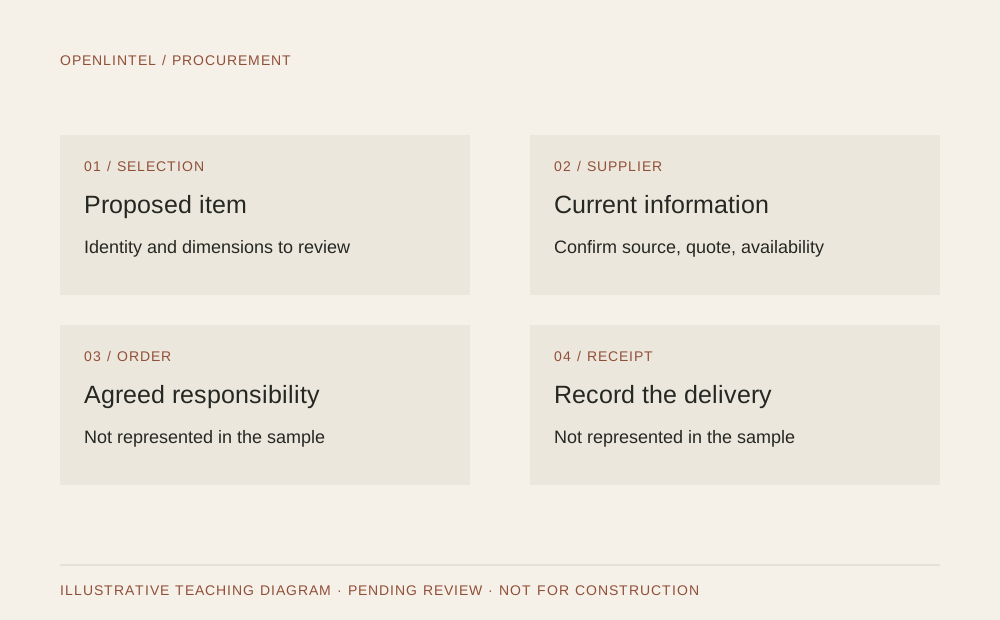
Before discussing an order, confirm the product identity, relevant dimensions, finish, quantity, and current approval record. Check that the item still fits the project information and that purchasing responsibility has been agreed.
The sample sofa F-01 has no final model or supplier. It belongs in an illustrative schedule but is not ready to order. Labeling that gap is more useful than inventing a product code to complete the row.
Confirm information with the supplier
Obtain current product and quote information directly from the supplier. Record what the quote includes, availability or stated lead time, delivery arrangements, and unresolved questions. An old quote or a website image is not confirmation that a selection remains available.
Keep the source and date with the record. Discuss any project-specific commercial terms with the responsible purchasing party; this guide does not define payment, tax, warranty, or contractual obligations.
Treat substitutions as design changes
If a product is unavailable, compare the proposed substitute against the original requirement rather than matching appearance alone. Dimensions, finish, use, coordination, price, and timing may all change.
Record the reason, affected references, reviewer, and decision before updating the schedule. Keep the original item’s status visible so an outdated specification cannot accidentally be used for ordering.
- Identify the item and current revision.
- Record the proposed replacement and supporting supplier information.
- Review affected drawings, budget, and timeline.
- Update the coordinated issue only after the relevant decision.
Close the loop at delivery
Agree who receives the item and how receipt will be documented. Compare the delivery with the order record and document visible discrepancies or damage through the responsible party’s agreed process. Keep order confirmation and receipt as separate statuses.
The sample has no orders or deliveries. Its linked workbook is a starting register, not a live inventory system or evidence that procurement has taken place.
Do not let a selection state become an order state
Keep your design register connected to the actual purchasing record, but do not let one replace the other. A proposed selection can stay useful while price, availability, authority, or suitability questions remain unresolved.
| Situation or reference | Useful record or next action |
|---|---|
| A sofa appears on a board | Visual proposal only; no verified model or purchasing authority follows. |
| A quote is received | Retain its source and scope; receipt alone is not authorization to order. |
| An item is delivered | Record receipt separately from any required inspection or acceptance process. |
Before you move on
- Is the product fully identified and reviewed?
- Are quote information and purchasing responsibility current?
- Are substitutions and receipt records connected to the original item reference?
About this resource
AI-assisted editorial check by Claude (Anthropic): . Checked clarity, examples, and internal consistency. This is not independent professional review or project approval.
Authored by OpenLintel with AI assistance. Examples are illustrative and have not received independent professional review. Adapt the structure to your practice and verify project-specific information. No legal agreement, regulatory compliance, or construction readiness is represented.
See the information connect
Follow the corresponding chapter of The Window Room: one illustrative brief, one selected direction, and coordinated sample references.
Explore the sample materialsDiscuss your studio’s workflow
Book an OpenLintel demo and discuss a documentation or coordination question from your practice. OpenLintel is in active development.
Book an OpenLintel demo